
To display a list of recently added posts from a specific category on your WordPress website, you don’t need any additional plugins because the output is based on a standard WordPress query. This query could be utilised if you wanted to add a dedicated page about a particular topic from your website, where you could write a short introduction and then display the most recent posts from that category. This list can then be easily integrated into your theme using a shortcode. You can then display the output as a widget in your posts, pages or sidebar.
In this WPSnip tutorial, we will show you how to display 10 most recent posts from a specific category in WordPress with the featured images (thumbnails) as well – without plugin.
How to Use
To use this custom code snippet with your WordPress theme, simply paste the code into your functions.php file or using the Code Snippets WordPress plugin. To find out more about adding custom code snippets to your functions.php file see our tutorial How to Edit the WordPress Functions File for more information.
Warning
If you don't feel comfortable with editing the functions.php file directly, we would recommend you use the Code Snippets plugin. This plugin will enable you to easily add, manage and delete WordPress code snippets from your dashboard. To find out more about adding custom code snippets using a plugin see our tutorial How to Add Custom Code Snippets to WordPress with the Code Snippets Plugin for more information.
Code Snippet
Important
In this tutorial, we'll be directly editing WordPress theme files and we recommend that you create a child theme of your existing parent theme. By using a child theme you will be able to apply modifications without altering the parent theme files and ensuring any changes you make are kept following any parent theme updates.
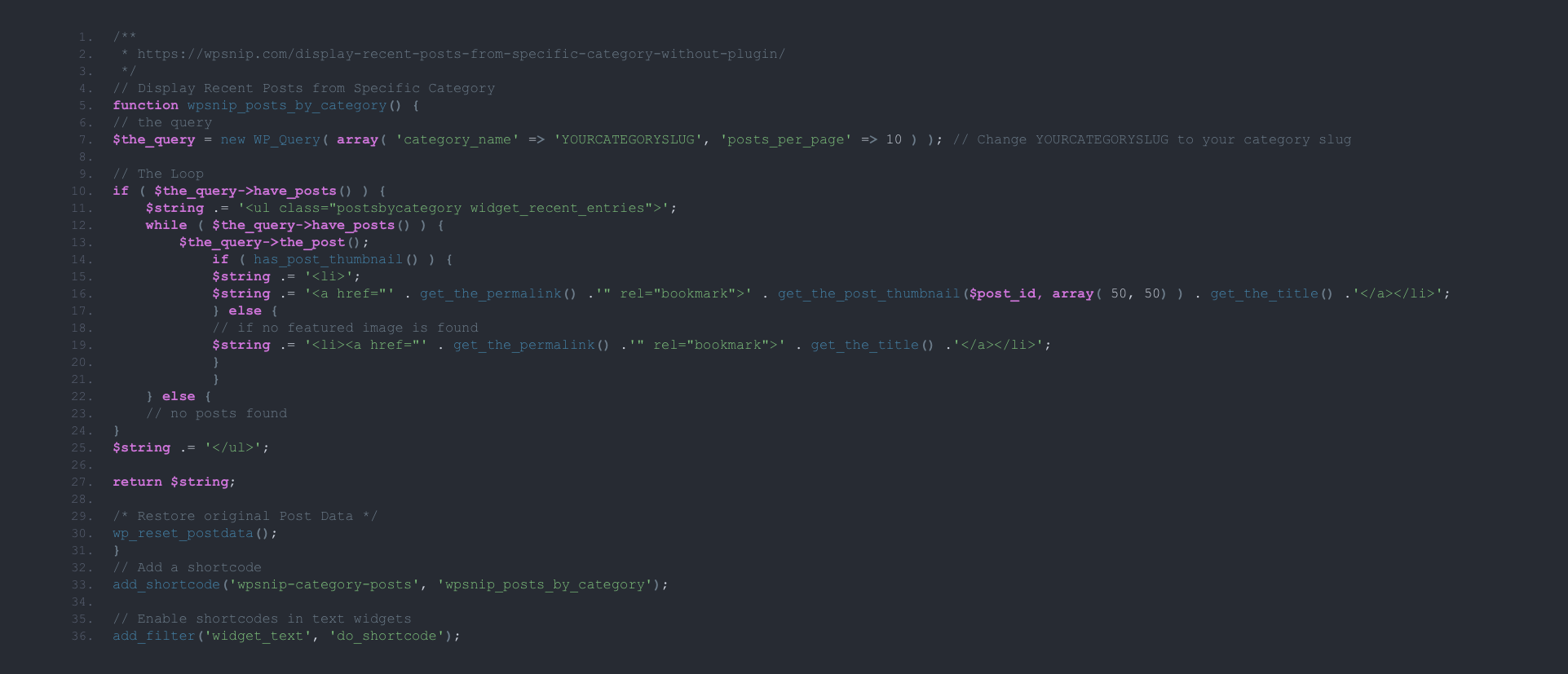
/**
 * https://wpsnip.com/display-recent-posts-from-specific-category-without-plugin/
 */
// Display Recent Posts from Specific Category
function wpsnip_posts_by_category() {
// the query
$the_query = new WP_Query( array( 'category_name' => 'YOURCATEGORYSLUG', 'posts_per_page' => 10 ) ); // Change YOURCATEGORYSLUG to your category slug

// The Loop
if ( $the_query->have_posts() ) {
    $string .= '
';
return $string;
/* Restore original Post Data */
wp_reset_postdata();
}
// Add a shortcode
add_shortcode('wpsnip-category-posts', 'wpsnip_posts_by_category');
// Enable shortcodes in text widgets
add_filter('widget_text', 'do_shortcode');
Note
On line 4, please replace “YOURCATEGORYSLUG” with your own specific category slug. You may need to style the recent posts (using CSS) so that it matches the design of your blog.
The list of recent posts from your selected category can be displayed using the shortcode [wpsnip-category-posts]. This can be inserted in any post, page or widget.